
Muse Adds Spaces, Custom Experiences You Build by Describing an Idea
Meta introduced spaces in Muse: describe an idea in chat and Muse builds a persistent tracker, planner, or project board that lives in the sidebar or tabs and updates in the background.
 By Icarus3 min read

Meta introduced spaces in the Muse app, a way to build custom experiences inside Muse by describing an idea in chat. A space can be a tracker, a planner, or a project board, shaped around a routine, goal, or interest, and it stays part of the app once it exists. Spaces are available everywhere Muse is available starting today.
Building one starts with a description. Tell Muse what you want, and it builds the first version. The idea is only the starting point. A space can keep changing as it gets used, adding what is missing, trying a new look, or changing how it works. Placement is up to the user. Spaces can live in the sidebar or the main tabs, stay hidden until needed, or appear on a schedule. Meta’s example is a weekly planner kept up front during the workweek, swapped for weekend plans on Saturday.
Spaces arrive a day after Muse Voice rolled out across the US.
 Muse Voice Rolls Out to Everyone in the US, With Video Chats and Phone Calls
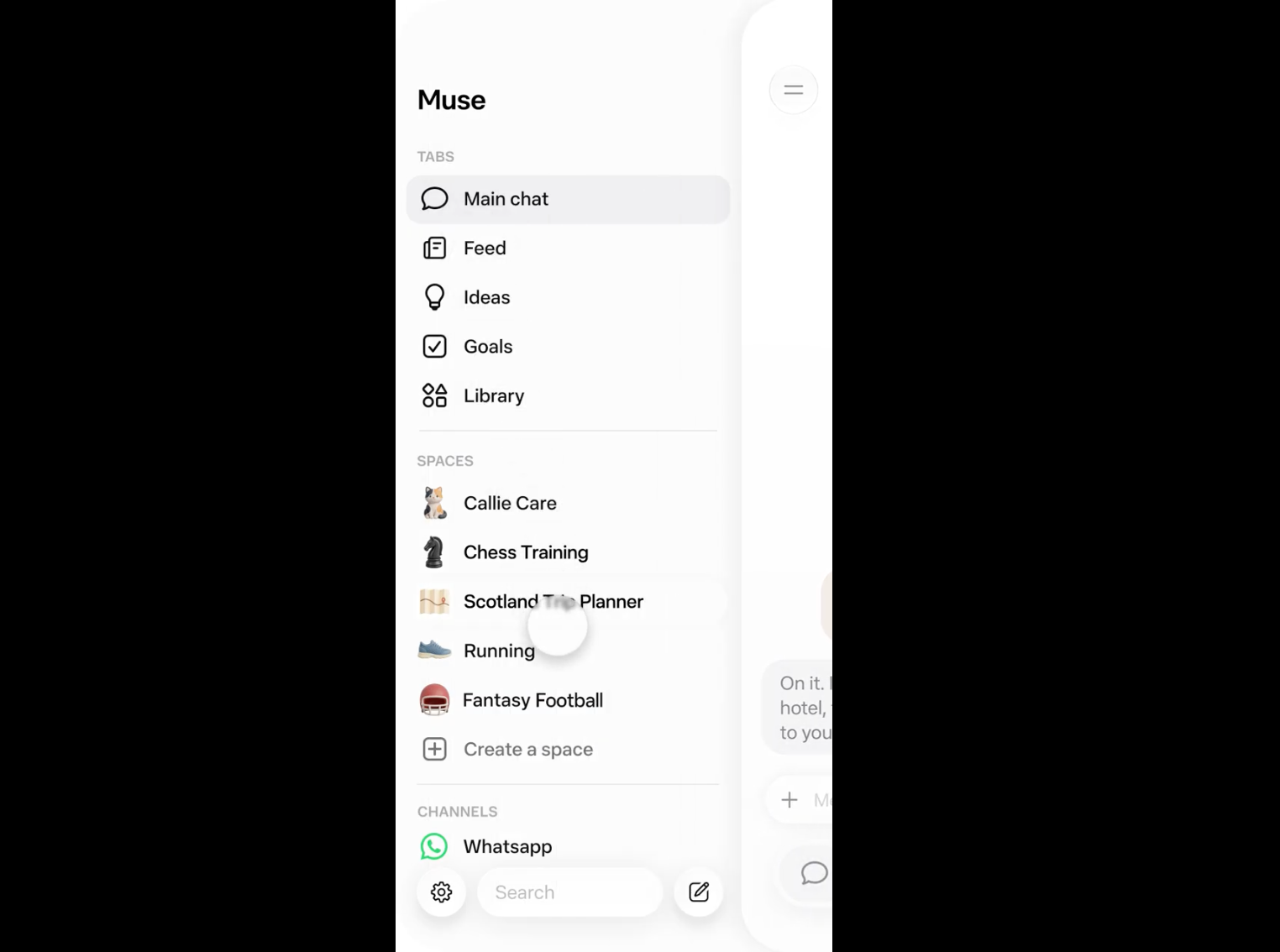
What You Can Build
Meta’s examples range from practical to playful: a shopping hub that pulls holiday and birthday gift ideas, wishlists from Instagram saves, and Marketplace listings and buyer messages into one view; a school dashboard that finds events relevant to kids in school emails and adds them to the calendar; a music tracker for new releases and upcoming shows; a wedding planner with RSVP lists, vendor invoices, and to-dos; a trivia game; a podcast studio for episode ideas, research, and scripts; an order tracker for a small business; a client hub for freelance work; and a trip planner with flights, hotels, reservations, and a day-by-day itinerary.
The Muse account posted its own set in a thread on X: an inbox sorter that ranks direct messages by what matters to a business, a board-game scorekeeper, a tracker for coin listings, a holiday shopping planner sorted by person, a recurring to-do list, and a restaurant list built from Instagram saves, with prices, ratings, and who is free that week. One of the thread’s examples is a game called Jolly Jump, built entirely inside a space. Mark Zuckerberg posted that he has made a BBQ game, an event tracker, and a home control dashboard, writing, “Playing around with spaces in Muse lately, tell Muse what you need and it builds it.”
A Space That Keeps Up With You
Spaces can connect to the apps a person already uses, and then they update in the background on their own: new concert dates, price changes, savings progress. You can check off items, add notes, and make edits inside the space, and everything is still there when you come back.
Looking Ahead
Meta is exploring ways to share spaces with others, which would turn a personal space into a shared one. The company is also rolling out specialized versions of its models to Muse, trained on lessons from Muse Wonder.